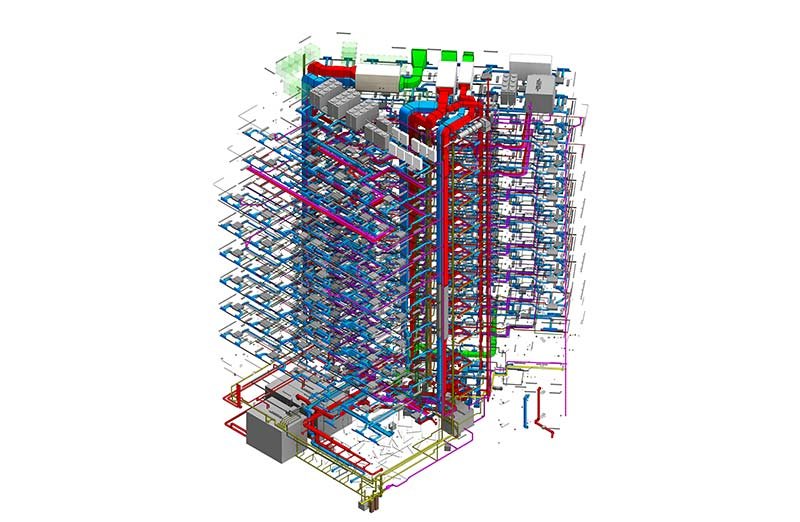
Modern construction projects require multiple disciplines—architecture, structural, mechanical, electrical, and plumbing—to coordinate closely. When they don’t, teams face clashes, rework, and delays that drive up costs and extend schedules. BIM coordination solves this by unifying all disciplines in a data-rich 3D model to ensure pipes, beams, ducts, and walls fit before construction begins. This guide covers the workflow, tools, roles, and benefits.
What Is BIM Coordination?
- BIM coordination is the process of integrating and aligning multiple discipline-specific building information models—architectural, structural, and MEP (mechanical, electrical, and plumbing)—into a single federated model to identify and resolve design conflicts before construction begins.
- At its core, BIM coordination is about making sure every element designed by every consultant fits together in the real world. A structural beam that passes through a mechanical a plumbing pipe that clashes with a concrete column are the kinds of conflicts that BIM coordination catches digitally—saving enormous time and cost compared to discovering them on site.
- BIM coordination is a central requirement in BIM Level 2 and Level 3 workflows and is mandated on many public and large-scale private construction projects globally, including those following ISO 19650 standards.
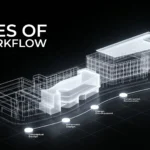
The BIM Coordination Workflow
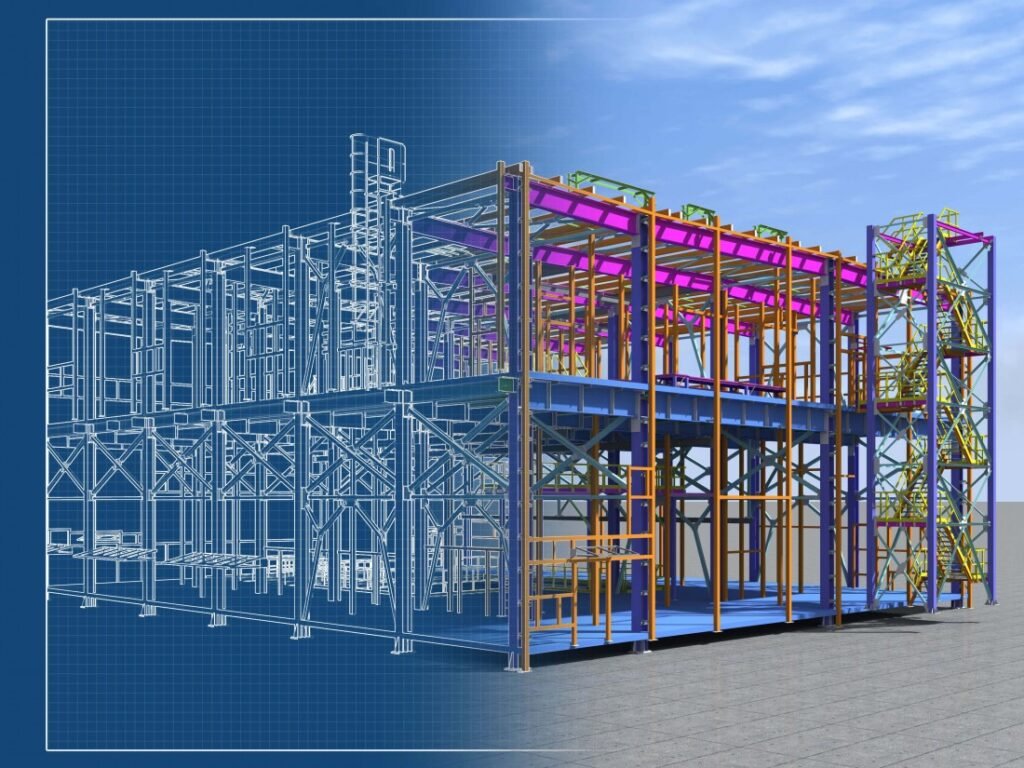
The BIM coordination workflow follows a structured sequence that keeps all disciplines synchronized throughout the design and pre-construction phases:
- BIM Execution Plan (BEP) setup: All project stakeholders agree on modeling standards, file formats, naming conventions, Level of Development (LOD), and coordination responsibilities before modeling begins
- Discipline model development: Each design team—architect, structural engineer, MEP consultant—develops their individual BIM model according to agreed standards
- Model submission to CDE: All discipline models are uploaded to the Common Data Environment (CDE) on a regular schedule so the coordination team can access the latest versions
- Model federation: The BIM coordinator combines all discipline models into a single federated model using coordination software like Navisworks or Solibri
- Clash detection: Automated clash detection tools scan the federated model and generate a clash report identifying all conflicts between disciplines
- Clash review meetings: The coordination team—including all discipline leads—reviews the clash report together, assigns responsibility, and agrees on resolution strategies
- Model updates: Each discipline team updates their model to resolve assigned clashes and resubmits to the CDE
- Coordination sign-off: Once all major clashes are resolved and the model meets the agreed coordination tolerance, the federated model is signed off for construction use
The BIM Coordination Process
While the workflow describes the sequence of steps, the BIM coordination process focuses on how clashes are classified, prioritized, and resolved in practice.
Clashes detected in the federated model are typically categorized into three types:
- Hard clash: Two objects physically occupy the same space — for example, a structural column intersecting an HVAC duct. These are the most critical and must always be resolved
- Soft clash: Objects don’t physically intersect but violate required clearances—such as a pipe running too close to an electrical panel, preventing safe maintenance access
- Workflow or 4D clash: Conflicts in the construction sequence—for example, two trades scheduled to work in the same area at the same time—identified through 4D BIM simulation
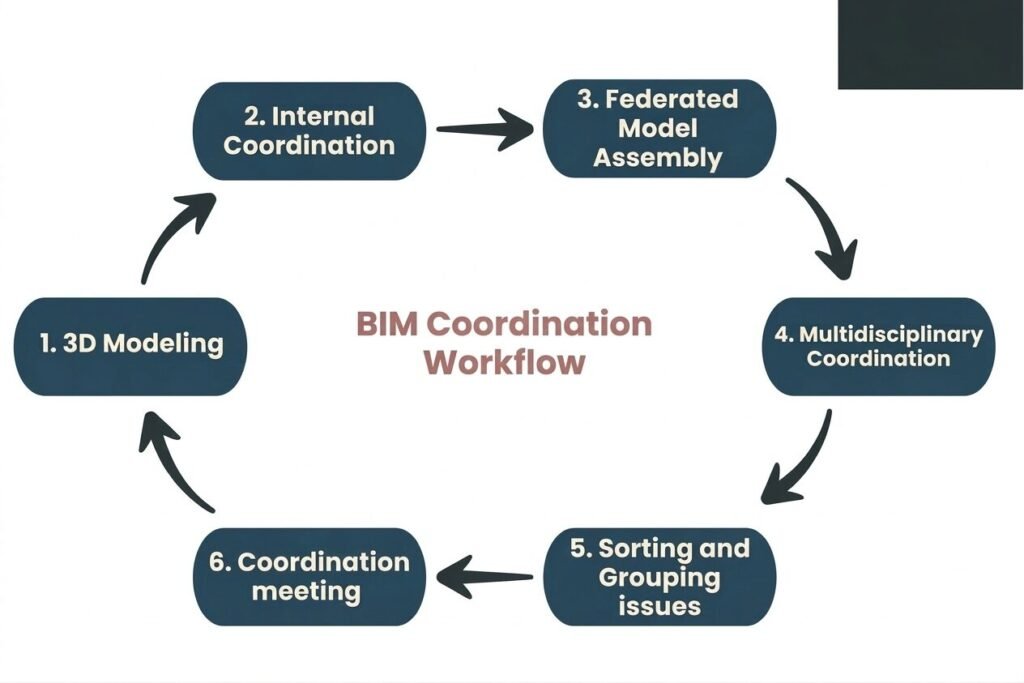
Each identified clash is logged in a Clash Report or managed through a BCF (BIM Collaboration Format) file, which assigns the issue to the responsible discipline with a deadline for resolution. This creates a transparent, auditable record of all coordination decisions made during the project.
Pro Tip: BIM coordination starts with accurate, clash-free discipline models.Explore our professional BIM Modeling Services to make your models coordination-ready from day one.
Role of the BIM Coordinator
The BIM coordinator is the central figure in the coordination process, responsible for managing the technical workflow and keeping all discipline teams aligned. Key responsibilities include:
- Federated model management: Combining all discipline models and maintaining the federated model throughout the project
- Clash detection and reporting: Running regular clash detection analyses and distributing reports to the relevant teams
- Coordination meeting facilitation: Chairing clash review meetings and ensuring issues are assigned, tracked, and resolved on schedule
- BIM standards enforcement: Ensuring all discipline models comply with the agreed BEP, LOD requirements, and naming conventions
- CDE management: Managing the Common Data Environment, controlling model versions, and maintaining document control
- Stakeholder communication: Acting as the technical bridge between designers, contractors, clients, and project managers
- Issue tracking: Maintaining a live clash log and escalating unresolved issues to the BIM Manager or project leadership when needed
The BIM coordinator typically works closely with—but is distinct from—the BIM manager, who has broader responsibility for BIM strategy, standards, and client deliverables across the organization.
Benefits of BIM Coordination
Effective BIM coordination delivers measurable value across every phase of a construction project:
- Clash elimination before construction: Identifying and resolving design conflicts digitally is up to 100 times cheaper than fixing them on site after construction has begun
- Reduced rework and waste: Fewer on-site surprises means less material waste, less labor rework, and better use of project resources
- Improved project schedule: Coordinated models reduce construction delays caused by trades waiting for clashes to be resolved on-site.
- Better cost certainty: A coordinated model produces more accurate quantity takeoffs and BOQs, leading to tighter cost estimates and fewer variations
- Enhanced collaboration: Regular coordination meetings build stronger working relationships between design and construction teams, improving communication across the project
- Higher quality deliverables: A fully coordinated model serves as a reliable basis for shop drawings, fabrication, and as-built documentation
- Safer construction: Identifying spatial conflicts and sequencing clashes in advance reduces the risk of safety incidents caused by congested or poorly planned work areas
- Stronger client confidence: Delivering a coordinated, clash-free model demonstrates professionalism and significantly reduces the client’s financial risk
Tools and Technologies for BIM Coordination
A range of specialized software tools supports the BIM coordination process:
- Autodesk Navisworks: The industry-leading clash detection and 4D simulation platform — widely used for federating models and running automated clash detection across all disciplines
- Autodesk Revit: The primary authoring tool for architectural, structural, and MEP models, with built-in coordination features, including linked model management and interference checking
- Solibri Model Checker: A powerful rule-based model-checking tool that validates models against BIM standards, building codes, and coordination requirements
- Autodesk BIM 360 / Autodesk Construction Cloud (ACC): A cloud-based CDE platform for model sharing, issue tracking, and team collaboration across all project stakeholders
- Trimble Connect: A cloud collaboration platform used for model federation, issue management, and BCF-based coordination workflows
- Revizto: A real-time coordination platform that combines clash detection, issue tracking, and 3D visualization in a single environment accessible to all stakeholders
- BIMcollab: A BCF-based issue management platform that integrates with Revit, Navisworks, and Solibri for streamlined clash tracking and resolution
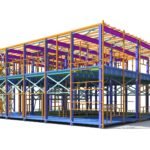
- Tekla Structures is widely used for detailed structural steel and concrete modeling in coordination workflows involving complex structural systems
Requirements for BIM Coordination
Successful BIM coordination doesn’t happen by accident—it requires meeting several technical and organizational requirements:
- BIM Execution Plan (BEP): A project-specific document that defines modeling standards, LOD requirements, coordination responsibilities, file formats, and submission schedules for all disciplines
- Agreed Level of Development (LOD): All teams must model to the same LOD at each project stage—typically LOD 300–350 for coordination purposes—to ensure meaningful clash detection
- Common Data Environment (CDE): A central platform that stores all models, drawings, and documents. It tracks versions and shares files. This helps teams avoid using outdated files
- Standardized naming conventions: Use consistent file, layer, and object names across all discipline models. This helps everyone read and navigate the federated model
- Regular coordination meetings: Scheduled clash review sessions — typically weekly during active design phases — with attendance from all discipline leads
- Qualified BIM coordinator: A dedicated professional with expertise in BIM software, construction methods, and multi-discipline coordination
- Clash tolerance agreements: Project-specific rules that define acceptable clash types and sizes. They also define which clashes must be resolved. This helps teams avoid wasting time on minor conflicts
- BCF or issue tracking workflow: A standardized process for logging, assigning, and closing coordination issues with full traceability
Conclusion
BIM coordination is now essential for projects that demand cost certainty, dependable schedules, and high-quality outcomes. By uniting design disciplines in a federated model and resolving clashes before construction through a structured workflow, it reduces surprises. For AEC firms, investing in the right tools, processes, and people improves collaboration, efficiency, quality, and competitiveness.
FAQ About BIM coordination
Q1.What is the difference between BIM coordination and clash detection?
BIM coordination is the full process of model integration, clash detection, issue resolution, and sign-off; clash detection is just the automated scanning step within coordination.
Q2.How often should BIM coordination meetings occur?
Weekly during active design phases, bi-weekly during coordination resolution, monthly for model validation before construction.
Q3.What LOD is required for effective BIM coordination?
LOD 300-350 minimum — detailed enough for clash detection but not fully fabricated (LOD 400+).
Q4.Can small projects benefit from BIM coordination?
Yes — even modest renovations save 10-20% on rework costs; cloud tools make it accessible for smaller teams.
Q5.What happens if clashes are missed during coordination?
Unresolved clashes lead to RFIs, change orders (5-15% of project cost), delays, and potential safety risks on site.
Q6.How long does BIM coordination typically take?
4-12 weeks depending on project complexity; iterative cycles of 1-2 weeks per major coordination pass.
Q7.Is BIM coordination mandatory for all BIM projects?
Required for BIM Level 2+ and ISO 19650 compliance; increasingly specified in contracts for projects over $5M.