In today’s complex construction landscape, undetected clashes between structural beams, MEP ducts, and architectural elements can cost projects millions in rework. BIM clash detection catches these conflicts early in the digital model—saving up to 100x compared to on-site fixes. This guide covers types, processes, tools, and best practices for clash-free delivery.
What Is BIM Clash Detection?
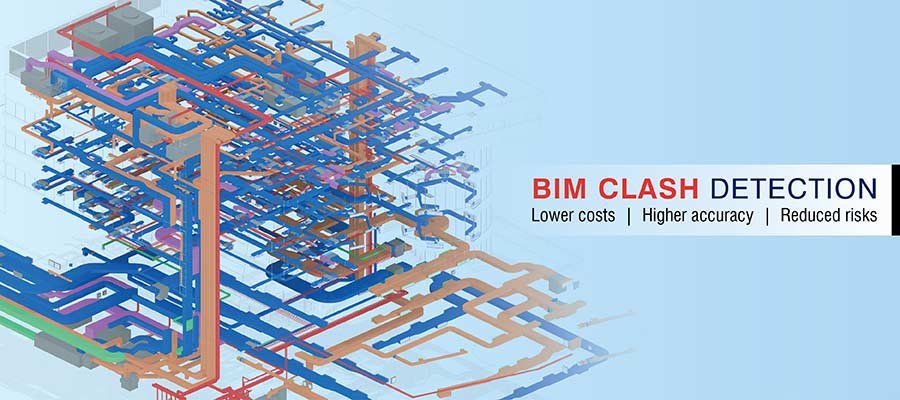
- BIM clash detection is the process of using coordinated 3D building information models to automatically identify spatial conflicts—known as clashes—between different design disciplines such as architecture, structure, and MEP (mechanical, electrical, and plumbing) systems before construction begins.
- Instead of manually cross-referencing error-prone 2D drawings, BIM clash detection software scans a federated model to identify physical conflicts between design elements. It generates detailed clash reports so teams can resolve issues digitally before procurement and construction
- Clash detection is a key part of BIM coordination workflows. It is required on projects that follow ISO 19650 standards. It is also required for BIM Level 2 and higher protocols
Pro Tip: Clash detection success depends on accurate LOD 300+ BIM models from all disciplines — discover our professional BIM Modeling Services to ensure your models are clash-detection ready from the start.
Types of BIM Clash Detection
Not all clashes are equal. In BIM Clash Detection are classified into three primary categories, each requiring a different resolution approach:
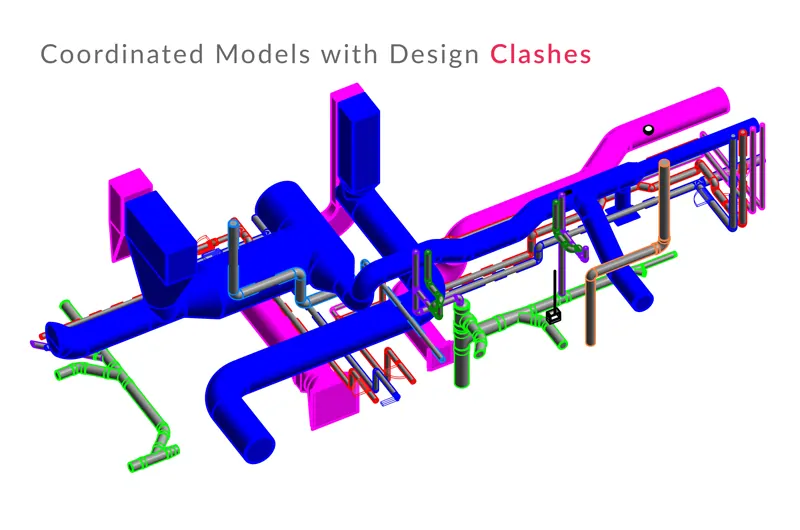
- Hard clash: The most critical type — two or more physical components occupy the same space simultaneously, such as a structural column intersecting an MEP duct or a concrete beam passing through a plumbing pipe. Hard clashes must always be resolved before construction
- Soft clash (clearance clash): Objects don’t physically intersect but violate required spatial tolerances or maintenance clearances—for example, a pipe running too close to an electrical panel, making safe access impossible. Soft clashes are defined by project-specific tolerance rules
- Workflow clash (4D clash): Conflicts in the construction sequence rather than the physical model—for example, two different trades scheduled to work in the same area at the same time, identified through 4D BIM scheduling simulation
Clashes can also be further classified by severity during the review stage — critical clashes that demand immediate resolution, major clashes affecting system performance, minor clashes with limited impact, and false positives that fall within acceptable tolerances and can be dismissed.
What Are the Benefits of BIM Clash Detection?
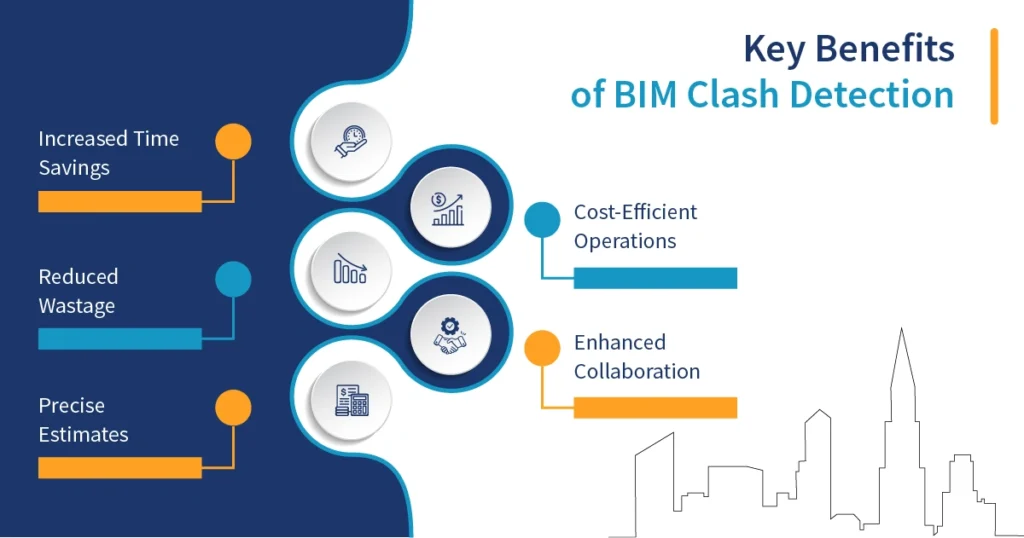
Implementing a robust BIM Clash Detection process delivers significant, measurable benefits across every phase of the project:
- Dramatically reduced rework costs: Resolving clashes digitally during design is up to 100 times cheaper than fixing physical conflicts on-site after construction has begun
- Improved project schedules: Eliminating on-site clashes prevents construction delays caused by trades waiting for conflicts to be resolved, keeping the project on program
- More accurate cost estimates: A fully coordinated, clash-free model produces reliable quantity takeoffs and BOQs, reducing the risk of cost overruns and contract variations
- Enhanced multi-discipline collaboration: Regular clash detection cycles force all design disciplines to engage with each other’s work, building stronger cross-team communication and coordination
- Higher construction quality: Clash-free models lead to better shop drawings, more accurate fabrication, and smoother on-site installation across all trades
- Reduced construction waste: Fewer on-site surprises mean less material waste from rework, contributing to more sustainable project delivery
- Improved site safety: Resolving spatial and sequencing conflicts before construction reduces congestion in work areas and minimizes the risk of safety incidents
- Greater client confidence: Delivering a coordinated, clash-free model demonstrates professionalism and gives clients greater certainty over cost, schedule, and quality outcomes
How Does Clash Detection Actually Work in BIM?
- At a technical level, BIM clash detection works by overlaying multiple discipline-specific models within a clash detection engine, whose algorithmically scans for geometric intersections and clearance violations between selected element sets.
- The software compares the 3D geometry of every element in one discipline model against every element in another — for example, all MEP components checked against all structural elements. When two objects share overlapping space or violate a defined clearance rule, the software flags the conflict, records its exact location in 3D space, captures a visual snapshot, and logs it in the clash report.
- Modern clash detection tools allow teams to define custom clash rules — specifying which disciplines to check against each other, setting tolerance thresholds, and filtering out known acceptable overlaps — so the output is a clean, relevant list of genuine conflicts rather than thousands of false positives.
How Can BIM Make Clash Detection Efficient?
BIM doesn’t just enable clash detection—it makes the entire process dramatically more efficient compared to traditional coordination methods:
- Automated detection: BIM software scans entire federated models in minutes, identifying conflicts that would take weeks to find manually through 2D drawing overlays
- Real-time model updates: When a discipline team resolves a clash and updates their model, the federated model reflects the change immediately, allowing the coordination team to re-run tests without delay
- Cloud-based collaboration: Platforms like Autodesk Construction Cloud (ACC) allow all project stakeholders to access the latest clash reports, view conflict locations in 3D, and track resolution status from anywhere in the world
- BCF integration: BIM Collaboration Format (BCF) files link clash issues directly to model views, allowing discipline teams to open a clash in their authoring tool—such as Revit—navigate directly to the problem, and fix it without searching manually
- 4D clash simulation: By linking BIM models to project schedules, teams can simulate construction sequences and identify workflow clashes before work begins on site
- Iterative testing cycles: BIM enables rapid, repeated clash detection cycles—each time models are updated and resubmitted, a new clash test can be run within hours, keeping the coordination process moving efficiently
Why BIM Clash Detection Is Essential for Construction Projects
Clash detection addresses construction’s biggest productivity killers — design conflicts causing 30% of total rework costs and 20% average schedule delays across the industry.
Industry Crisis Context:
- Construction rework costs exceed $177 billion annually globally from undetected clashes
- 1 in 5 projects overrun budgets due to coordination failures between disciplines
- Complex facilities (hospitals, airports, high-rises) generate tens of thousands of potential MEP-structure intersections
Strategic Business Imperative:
- Contractual requirement — Public tenders, ISO 19650 projects, and $5M+ private developments now mandate BIM clash detection
- Competitive differentiator — Firms offering verified clash-free models win 25% more bids against traditional 2D workflows
- Risk elimination — Prevents 5-15% change order exposure that erodes profit margins
Beyond Cost — Strategic Advantages:
- Safety leadership — Resolves access conflicts and sequencing risks before workers face hazards
- Sustainability impact — Cuts material waste by 15-25%, supporting green building certifications
- Future-proofing — Creates asset-ready models for FM handover, predictive maintenance, and renovations
Without clash detection, even expert teams miss critical conflicts — pipes through beams discovered during concrete pours cost 100x more than digital resolution. For modern AEC firms, clash detection isn’t optional technology; it’s table stakes for surviving complex project demands in 2026’s competitive market.
How Clash Detection Works in a BIM Environment
Within a live BIM environment, clash detection follows a structured, iterative cycle that runs continuously throughout the design and preconstruction phases:
- Model integration: All discipline models—architectural, structural, MEP—are federated into a single coordinated model using tools like Navisworks or Solibri, with coordinate systems and naming conventions aligned
- Rule definition: The coordination team defines which systems to test against each other and sets tolerance parameters to filter out irrelevant conflicts
- Automated clash tests: The software runs automated scans across the federated model, generating a comprehensive list of detected clashes with 3D locations and visual snapshots
- Clash review and categorization: The team reviews the clash list, categorizes each issue by type and severity, and assigns resolution responsibility to the relevant discipline
- Coordination meetings: All discipline leads meet to review critical clashes, agree on resolution strategies, and set deadlines for model updates
- Model updates: Each team updates their model to resolve assigned clashes and resubmits to the Common Data Environment (CDE)
- Re-testing and validation: The coordination team re-runs clash detection on the updated models to confirm resolutions are effective and no new conflicts have been introduced
- Documentation and sign-off: A final clash report is produced documenting all detected clashes, resolutions, and the coordinated model’s readiness for construction
Implementing an Effective BIM Clash Detection Process
Getting maximum value from BIM Clash Detection requires more than just running software demands a disciplined organizational process:
- Start early: Integrate clash detection from the design development phase—not just pre-construction—to catch major conflicts before detailed modeling is complete
- Establish a BIM Execution Plan (BEP): Define modeling standards, LOD requirements, submission schedules, and coordination responsibilities for all disciplines before the project begins
- Set a regular submission routine: Agree on fixed model submission days so the coordination team always works from synchronized, up-to-date models rather than reacting to ad hoc updates
- Define clash tolerance rules upfront: Agree project-specific rules for what constitutes an acceptable overlap versus a genuine clash, preventing teams from wasting time on irrelevant false positives
- Hold weekly coordination meetings: Regular structured meetings with all discipline leads keep clash resolution on track and prevent issues from accumulating into an unmanageable backlog
- Use a BCF-based issue tracking workflow: Log every clash as a tracked issue with an assigned owner, deadline, and resolution status—creating full accountability and auditability
- Validate after every update: Re-run clash tests after every model update cycle to catch new conflicts introduced by design changes before they compound
- Document everything: Maintain complete records of all clash reports, resolutions, and coordination decisions to support contract administration and dispute resolution if needed
BIM Clash Detection Software
A range of powerful software tools is available to support every stage of the clash detection process.
- Autodesk Navisworks Manage: The industry-standard clash detection platform federates models from multiple authoring tools, runs automated hard and soft clash tests, and generates detailed clash reports with 3D navigation
- Autodesk Revit: The primary BIM authoring tool with a built-in Interference Check feature for detecting clashes between linked models within the Revit environment
- Solibri Model Checker: A rule-based model-checking and clash-detection tool that validates models against building codes, BIM standards, and custom coordination rules—particularly strong for quality assurance
- Autodesk Construction Cloud (ACC): A cloud-based platform for model coordination, clash detection, and issue management—allowing all stakeholders to review and track clashes in real time from any device
- Revizto: A real-time coordination platform combining 3D model visualization, automated clash detection, and issue tracking in a single collaborative environment accessible to the full project team
- BIMcollab Nexus: A BCF-based issue management platform that integrates directly with Revit, Navisworks, and Solibri—connecting clash detection results to a structured issue resolution workflow
- Trimble Connect: A cloud collaboration and model viewing platform with clash detection capabilities, widely used for cross-discipline coordination on large infrastructure projects
- Tekla Structures: Industry-leading structural detailing software with built-in clash detection capabilities, particularly suited for complex steel and concrete coordination workflows
Conclusion
BIM clash detection is a high-value investment for AEC teams, helping identify and resolve design conflicts in the digital model before construction starts. This reduces costly rework, delays, and disputes. When built into a disciplined BIM coordination workflow—with the right tools, regular clash cycles, and clear accountability—it shifts delivery from reactive firefighting to proactive precision engineering and becomes a strategic competitive advantage.