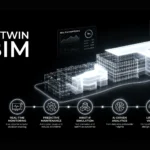
A BIM model shows how a building was designed. A digital twin in BIM shows how it’s actually performing — right now, in real time. By connecting the model to live sensor data, a digital twin turns static project information into an operational tool that monitors energy, predicts failures, and keeps every asset decision grounded in facts. For Saudi developers delivering Vision 2030 mega-projects, it’s becoming the standard, not the exception.
What Is Building Information Modeling (BIM)?
Building Information Modeling (BIM) is a digital process for creating and managing a 3D, information-rich model of a building’s physical and functional characteristics. Instead of flat 2D drawings, BIM brings every discipline into one coordinated model.
Key points:
- Combines architecture, structure, and MEP in a single source of truth.
- Supports the full lifecycle — from concept and design to construction and operation.
- Enables 4D (time) and 5D (cost) planning and simulation.
- Acts as the intelligent data foundation a digital twin is built upon.
What’s the Difference Between BIM, Revit, and a Digital Twin?
These three terms are often confused. Here’s how they separate:
| Term | What it is | Role |
|---|---|---|
| BIM | The methodology | The overall process of building with coordinated digital data |
| Revit | The tool | One of several Autodesk platforms used to author BIM models — it is not BIM itself |
| Digital twin | The next step | A BIM model linked to real-time operational data so the virtual asset evolves with the real one |
In short, you use Revit to create BIM, and you use BIM as the foundation to build a digital twin.
BIM Model vs Digital Twin: What’s the Difference?
To understand why a digital twin in BIM matters, it helps to see what it adds on top of a standard BIM model:
| Aspect | BIM model | Digital twin |
|---|---|---|
| Data type | Static design and as-built data | Live, continuously updated data |
| Phase | Design and construction | Full lifecycle including operation |
| Updates | Manual, per project milestone | Automatic via sensors and IoT |
| Primary user | Designers, engineers, contractors | Owners, facility managers, operators |
| Purpose | Coordinate and deliver the building | Monitor, predict, and optimize the asset |
| Decision support | Clash detection, cost estimation | Predictive maintenance, energy optimization |
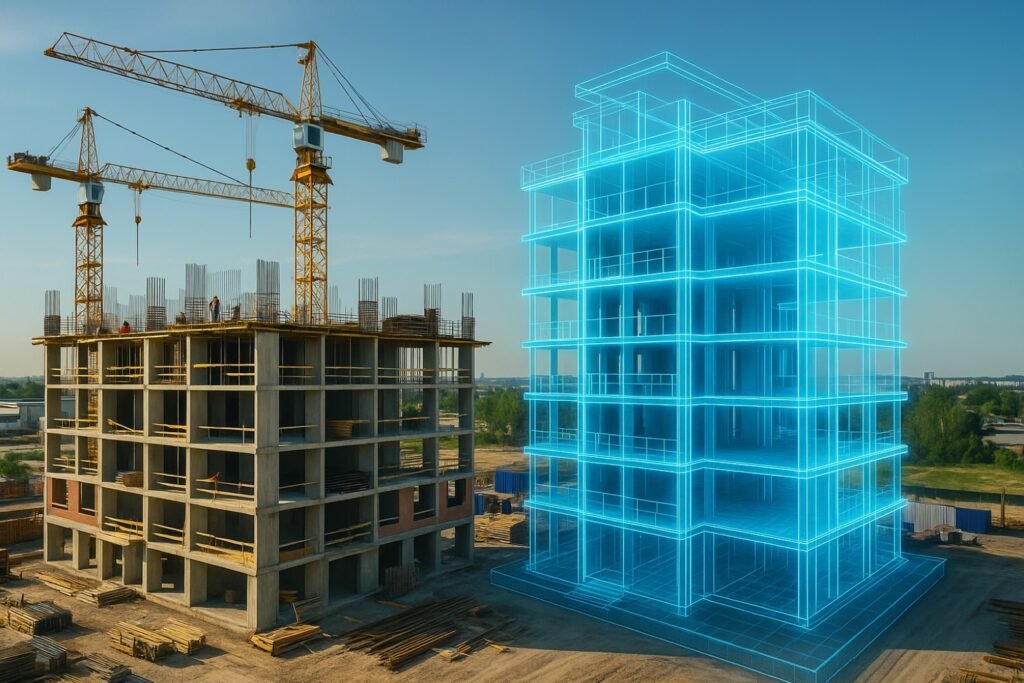
A BIM model is a snapshot. A digital twin is a living system.
What Are the Capabilities of Digital Twins?
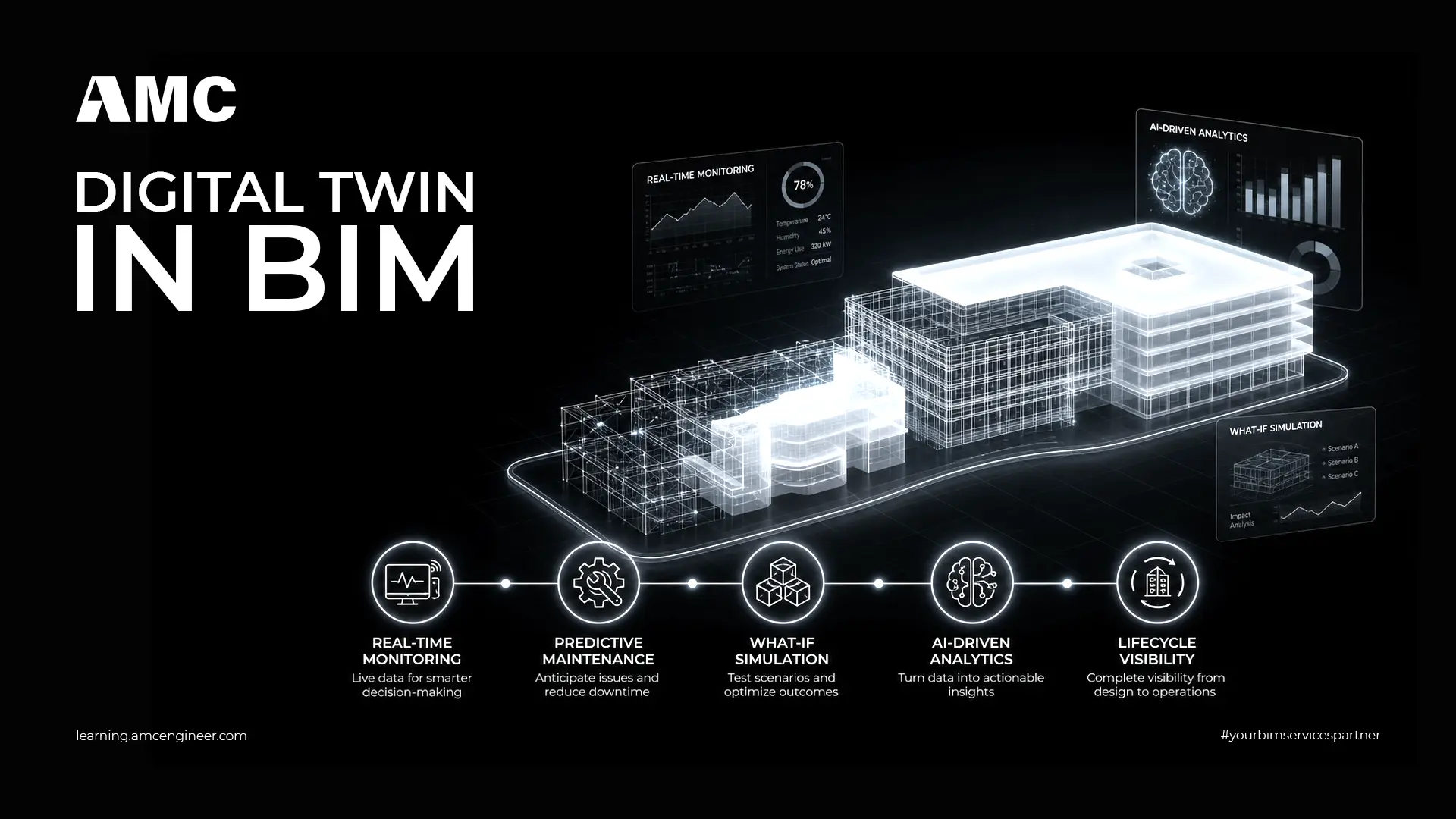
A digital twin does far more than display a 3D model. It continuously ingests and acts on live data, delivering:
- Real-time monitoring of performance, occupancy, and energy use.
- Predictive maintenance that flags equipment issues before they fail.
- What-if simulation to test scenarios like load or occupancy changes.
- AI-driven analytics that turn raw sensor data into actionable decisions.
- Lifecycle visibility for owners, operators, and facility managers.
Six Key Data Considerations for Value-Adding Digital Twins
A digital twin is only as good as the data feeding it. Six factors separate high-value twins from expensive dashboards:
- Data accuracy — the model must reflect as-built reality.
- Interoperability — BIM, GIS, IoT, and asset systems should exchange data via open standards.
- Data governance — define who owns and maintains the information.
- Real-time integration — reliable, continuous sensor feeds.
- Scalability — the twin should grow from one building to a campus.
- Security—protect operational data and respect local data-residency rules in the Kingdom.
Benefits of Integrating a Digital Twin in BIM
Many organisations stop at the design and construction value of BIM, then let the model gather dust once the building opens. A digital twin extends that investment into the operational phase—where most of a building’s lifetime cost lives.
The measurable benefits include:
- Lower operating costs. Predictive maintenance is linked to 10–20% lower operating expenditure (source: McKinsey & Deloitte industry benchmarks on digital twin ROI).
- Reduced rework. Automated clash detection during design can cut rework by up to 30%.
- Extended BIM ROI. BIM transforms from a one-time delivery tool into a long-term operational asset, multiplying the return on the original modeling investment.
- Single source of truth. One connected dataset for maintenance, space, energy, and asset management — no more scattered spreadsheets.
- Stronger sustainability and ESG reporting. Live energy and carbon data feeds directly into compliance and investor reporting.
- Faster decision-making. Real-time dashboards replace slow, manual data collection — giving owners transparency across the asset’s life.
- Fewer schedule overruns. A verifiable digital record reduces disputes and keeps projects on track.
For Saudi developers meeting ambitious Vision 2030 timelines, these efficiencies translate directly into time and budget savings.
Using a Digital Twin in BIM Across the Project Lifecycle
The real power of the digital twin in BIM appears when it runs across every stage:
- Design — BIM enables simulation, optimization, and early clash detection.
- Construction — supports sequencing, progress tracking, and quality control.
- Handover — the as-built model becomes the foundation of the operational twin.
- Operation and maintenance — live data keeps the twin current for energy management and predictive upkeep.
This continuity ensures data created early keeps delivering value for decades, rather than being rebuilt at each phase.
Smart Tools That Strengthen Your Digital Twin Workflow
The right tooling makes BIM workflows faster, more reliable, and better prepared for digital twin integration:
- PyRevit—an open-source platform that adds automation buttons and custom scripts to Revit, removing repetitive manual tasks.
- DiRoots — a suite of free Revit plugins that move data smoothly between models and Excel for schedules, parameters, and documentation.
- Plannerly — a management platform to define BIM scope, level of detail, responsibilities, and execution plans in one place.
- Autodesk Advance Steel — connects BIM to the workshop by automating detailed shop drawings, connection design, accurate bills of quantities (BOQ), and material lists from the 3D model. Reduces estimating errors and keeps steel detailing consistent from design through to the operational digital twin.
Together, these tools improve data quality and prepare cleaner models for digital twin integration.
Integrating BIM and Digital Twins with Matterport
Matterport captures physical spaces as accurate 3D reality scans, creating a navigable digital record. Paired with BIM, it helps you:
- Verify as-built conditions against the design model.
- Document construction progress over time.
- Capture older assets that were never modeled—then bring them into a BIM modeling workflow.
- Supply the spatial accuracy a credible digital twin needs.
This is especially valuable for renovation, facility management, and large Saudi developments where existing buildings need to be brought into a BIM-FM workflow.
Digital Twin Trends in Construction 2026
The market is shifting from static visual models toward intelligent, data-driven twins. Key trends shaping 2026:
- AI-driven, self-learning twins that refine their own predictions as data grows.
- A move from isolated pilots to enterprise-wide platforms spanning entire portfolios.
- Stronger focus on interoperability and open standards (IFC, openBIM).
- Public-sector adoption driven by aging infrastructure and sustainability goals.
In Saudi Arabia, these trends are accelerated by Vision 2030 and giga-projects that treat the digital twin as core infrastructure, not an add-on.
Build Smarter with AMC Engineering
A digital twin in BIM turns your project data into a long-term operational advantage — from design coordination to lifecycle management. At AMC Engineer, we help developers and contractors across Saudi Arabia implement BIM and digital twin workflows that meet Vision 2030 standards.
Contact our team today to discuss how we can add value to your next project.
Frequently Asked Questions
What is a digital twin in BIM?
A digital twin in BIM is a virtual replica of a building that stays connected to real-time data from sensors and building systems. Unlike a static BIM model that captures design intent, the digital twin continuously updates to reflect the actual condition and performance of the physical asset.
What is the difference between a BIM model and a digital twin?
A BIM model is a static, information-rich 3D representation used primarily during design and construction. A digital twin takes that model further by linking it to live operational data — making it a dynamic tool for monitoring, predicting failures, and optimizing the building throughout its entire lifecycle.
Can you create a digital twin of an existing building?
Yes. Existing buildings can be brought into a digital twin workflow through laser scanning, photogrammetry, or tools like Matterport to create an accurate as-built BIM model. Once that model is connected to live sensors and FM systems, it functions as a digital twin.
How much does a digital twin cost?
Costs vary based on building size, complexity, and the level of sensor integration required. The initial investment covers as-built modeling, IoT infrastructure, and platform licensing. However, for medium and large facilities, the long-term savings in maintenance efficiency, energy optimization, and reduced downtime typically outweigh the upfront cost.
Is a digital twin worth it for smaller buildings?
For single small buildings, a well-structured BIM model with CMMS integration may deliver sufficient value without a full digital twin. Digital twins deliver the strongest ROI on large, complex, or portfolio-scale assets where real-time monitoring and predictive analytics generate measurable savings.
What software is used to create a digital twin in BIM?
Common platforms include Autodesk Tandem for digital twin management, Autodesk Revit for BIM authoring, Archibus or IBM Maximo for FM integration, and Matterport for reality capture. The right stack depends on your project’s scale, existing systems, and operational goals.