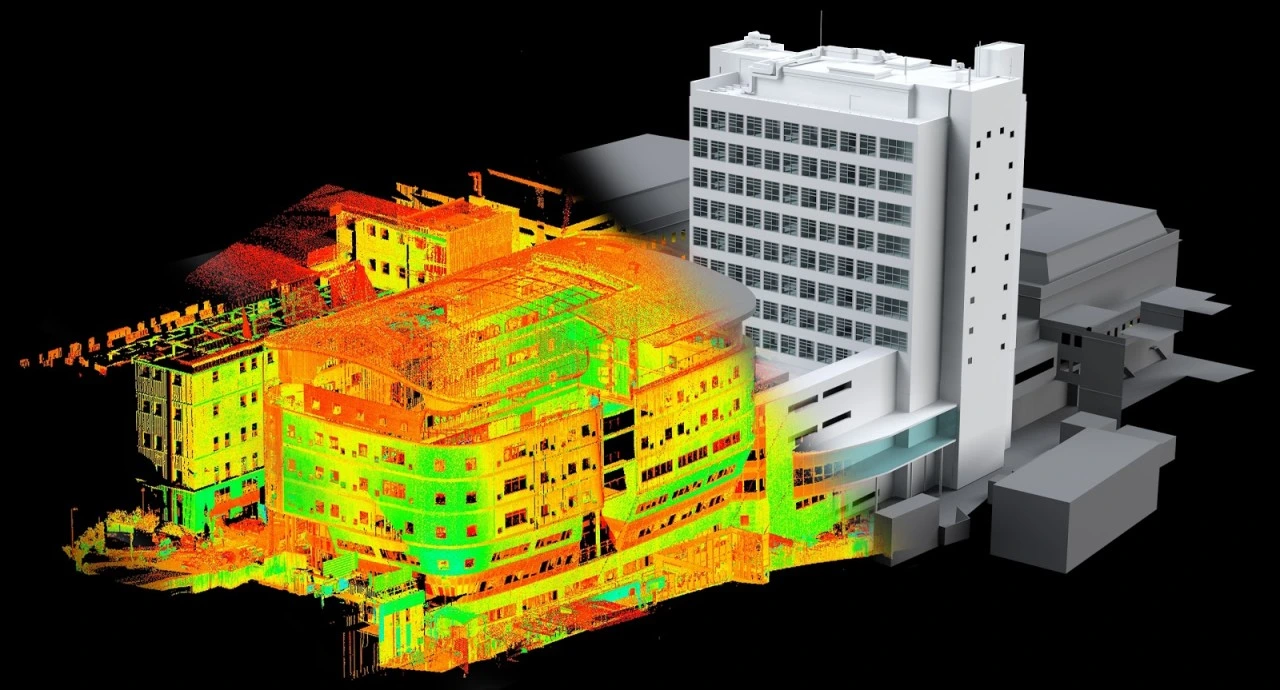
75% of renovations fail due to inaccurate as-builts. Scan to BIM captures existing buildings with laser precision, creating intelligent 3D models that eliminate measurement errors and enable perfect fit renovations. This guide reveals the complete workflow, tools, and ROI.
What is Scan to BIM?
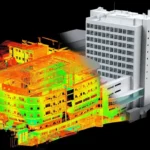
- Scan to BIM is the process of using 3D laser scanning technology to capture the existing conditions of a building or site, generating a point cloud dataset that gets converted into an intelligent Building Information Model (BIM). Unlike traditional hand measurements or outdated as-built drawings, scan to BIM creates a highly accurate digital twin reflecting the actual structure — including all deviations, modifications, and hidden conditions.
- This workflow starts with reality capture using terrestrial or mobile laser scanners, which produce millions of precise measurement points forming a “point cloud.” Specialized software then interprets this raw data to reconstruct architectural, structural, and MEP elements as parametric BIM objects in tools like Autodesk Revit. The result is a fully usable BIM model at specified LOD (Level of Development) for design, analysis, or facility management.
How Scan to BIM Works
The scan to BIM workflow follows a structured sequence combining field capture, data processing, and intelligent modeling:
- Project scoping: Define required LOD (typically 200-350), accuracy tolerances (±3mm to ±10mm), and elements to model (architectural shells, MEP systems, structural components)
- 3D laser scanning: Deploy scanners at strategic positions to capture 360° point cloud data — stationary terrestrial scanners for high precision, mobile LiDAR for large sites
- Point cloud registration: Stitch individual scans together using software like Trimble RealWorks or Autodesk ReCap, aligning them with control points for geometric accuracy
- Data cleaning: Remove noise, occlusions, and irrelevant points (furniture, temporary fixtures) while preserving critical building geometry
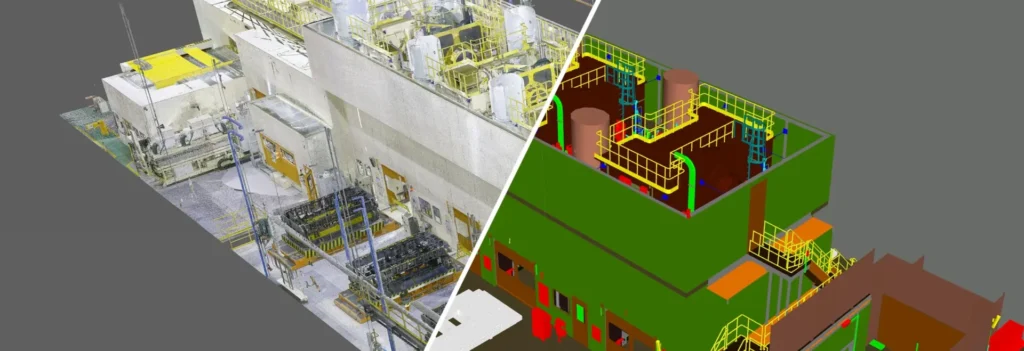
- BIM object modeling: Trace and model elements directly over the point cloud — walls traced to exact thickness, pipes sized to match fittings, beams positioned to true coordinates
- Model validation: Overlay the completed BIM model against the original point cloud to verify dimensional accuracy and completeness
- LOD enhancement: Add material properties, equipment specs, and performance data based on field verification or facility records
Creating and Using the Model
Once created, the scan to BIM model serves multiple project phases:
Model Creation Standards:
- Architectural elements modeled to actual surveyed dimensions, not nominal sizes
- MEP systems captured as-found, including undocumented modifications
- Structural components verified against original drawings where available
- LOD 300+ for fabrication/coordination, LOD 200 for conceptual planning
Primary Uses:
- Renovation design with guaranteed fit against existing conditions
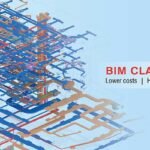
- MEP clash detection against as-built reality, not assumed geometry
- Facility management handover with accurate asset location data
- Heritage preservation documentation for protected structures
- Retrofit analysis for energy modeling and structural upgrades
The intelligent parametric model links geometry to data — pipe diameters carry flow capacities, wall layers define insulation values — making it immediately usable beyond visualization.
How to Perform Scan-to-BIM
Step-by-Step Execution:
- Pre-scan planning: Site walk-through to identify scan locations (minimum 20m spacing), access restrictions, and safety concerns; establish control points with total station
- Reality capture: Minimum 3mm@10m accuracy scanners; capture 100% coverage with 10-30mm point spacing; scan interiors/exteriors separately with overlap
- Point cloud processing: Register scans to <2mm RMS error; colorize with high-res photos; export as E57 or RCP format for BIM platforms
- Modeling workflow: Section point cloud by discipline (architecture first, then MEP/structure); use auto-detection tools for regular elements, manual tracing for complex geometry
- Quality control: Check 5% of model elements against point cloud (±5mm tolerance); client review cycles with BCF issue tracking
- Delivery: Native Revit model + linked point cloud + verification report + 2D drawings extracted from model
Equipment Requirements:
- Leica RTC360 / FARO Focus: Stationary high-precision scanning
- NavVis VLX / Emesent Hovermap: Mobile indoor/outdoor capture
- Autodesk ReCap Pro: Point cloud registration and cleanup
Pro Tip: Professional Laser Scanning by AMC Engineering captures perfect point clouds — discover our Laser Scanning Services for flawless Scan to BIM foundation.
Applications of Scan to BIM Modeling Services
Scan to BIM delivers specialized value across construction scenarios:
- Renovation & Adaptive Reuse: Captures undocumented changes for fit-perfect new designs; eliminates measurement errors that cause 20-30% of retrofit RFIs
- MEP Engineering: Documents existing services for upgrades — critical when drawings show only 60-70% accuracy after 10+ years in service
- Structural Assessments: Provides true as-built geometry for seismic retrofits, load path analysis, and capacity evaluations
- Facility Management: Creates asset registry with exact locations for HVAC, electrical panels, valves — reducing MTTR by 40-50%
- Heritage & Historic Preservation: Non-destructive documentation meeting HABS/HAER standards; enables virtual restoration planning
- Construction Verification: Compares installed conditions against design intent; quantifies RFIs and change orders accurately
- Forensic Analysis: Post-failure investigations with dimensionally accurate records for insurance claims and litigation
- Expansion Planning: Baseline models for future additions, ensuring new work clears existing structure
Industry ROI: Firms report 5-10x faster as-built documentation, 30-50% fewer field rework incidents, and 20% schedule improvements on renovation projects.
Conclusion
Scan to BIM removes uncertainty in existing conditions by replacing unreliable drawings with accurate digital twins that support error-free renovations and upgrades. Using laser scanning and parametric modeling, it enables design through operations and lifecycle ROI. For AEC brownfield, MEP retrofit, and expansion projects, it reduces risk—especially since 70% of construction is in existing structures.