A construction Bill of Materials is the master inventory behind every procurement decision on a project. Built properly, it tells your team what to order, in what quantity, to which specification, and by when — before a shortage stops a pour or an over-order eats your margin. This guide covers how BOMs actually work on Saudi and UAE projects: BIM extraction, SAR/AED costing, SBC and SASO compliance, Gulf lead times, and local-content requirements.
- What a construction BOM is
- BOM vs BOQ vs Quantity Takeoff
- The six BOM types used in construction
- The 12 mandatory line-item fields
- Building a BOM in eight steps
- Extracting a BOM from a BIM model
- Saudi & UAE specification standards
- Lead times and material pricing in the Gulf
- IKTVA and ICV local-content rules
- Six common BOM failures
- Connecting the BOM to ERP and procurement
- Frequently asked questions
What Is a Bill of Materials in Construction?
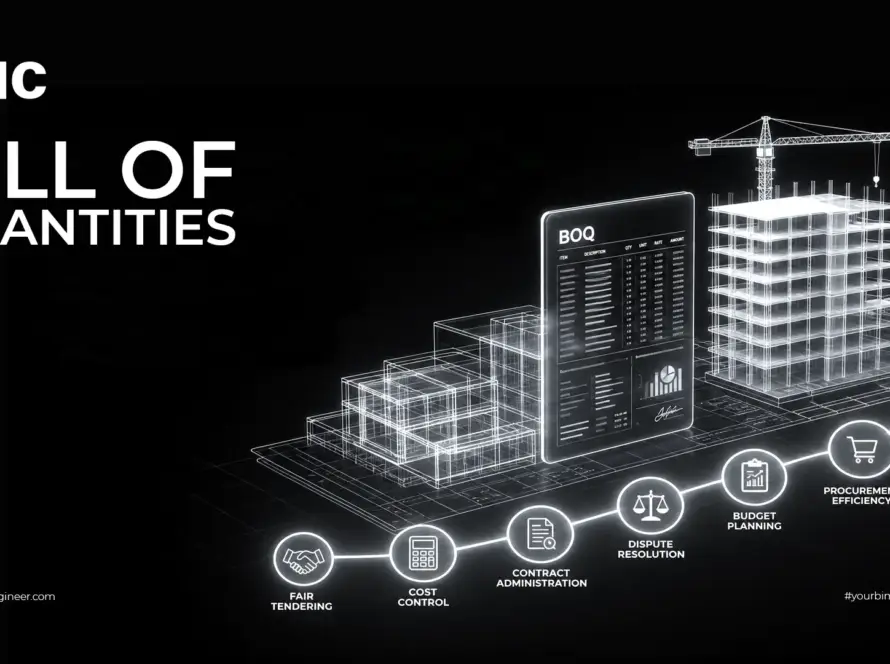
A construction Bill of Materials (BOM) is a structured list of every raw material, component, fixture and assembly required to complete a project — with quantities, specifications, unit costs, suppliers and lead times attached to each line.
Think of it as the procurement team’s shopping list, derived directly from the design. On a villa it might run to 300 line items. On a hospital, a high-rise, or a Vision 2030 development such as NEOM, Qiddiya, the Red Sea Project or a ROSHN community, a master BOM can span tens of thousands of lines organised by trade, phase and building system.
The BOM is not a design document and it is not a contract document. It sits between them: it translates what the engineer specified into what the buyer orders. That translation is where most material waste, most emergency purchase orders, and a surprising share of change-order disputes originate.
BOM vs BOQ vs Quantity Takeoff: The Difference That Costs Money
These three terms get used interchangeably on Gulf projects, and the confusion is expensive. They are three different artefacts produced at three different moments by three different people.
| Quantity Takeoff (QTO) | Bill of Quantities (BOQ) | Bill of Materials (BOM) | |
|---|---|---|---|
| What it is | The measurement process | A priced schedule of work items | A list of physical materials |
| Produced by | Estimator / BIM coordinator | Quantity surveyor | Procurement / engineering |
| Includes labour? | No | Yes — labour, plant, overheads | No — materials only |
| Used for | Feeding both BOQ and BOM | Tendering, valuation, interim payments | Purchase orders, delivery scheduling, site stores |
| Typical unit | m², m³, lm | “Supply and fix 200mm blockwork — m²” | “Hollow block 200×200×400 — 8,400 EA” |
| Stage | Design & pre-tender | Tender & contract | Pre-construction & execution |
The practical rule: the BOQ tells you what you are being paid to do. The BOM tells you what you have to buy to do it. A BOQ line reading “supply and fix 200mm solid blockwork, 1,850 m²” becomes several BOM lines — blocks, mortar, wall ties, lintels, movement-joint filler — each with its own supplier, lead time and waste allowance.
Contractors who order straight from the BOQ consistently under-buy accessories and over-buy primary materials. That single habit is responsible for a large share of the “we’re short on ties again” calls that stall a blockwork gang for half a day.
Turning drawings into a procurement-ready BOM?
Our BIM and cost engineers convert your Revit models or 2D drawings into a fully specified, SAR/AED-costed Bill of Materials aligned to SBC, SASO and UAE authority requirements.
The Six Types of BOM Used on Construction Projects
Manufacturing literature lists EBOM and MBOM and stops there. Construction needs more, because a building is assembled in sequence by different trades under different subcontracts.
1. Engineering BOM (EBOM)
Generated by the design team directly from CAD or BIM. Reflects design intent with part references and assembly relationships. Example: a curtain-wall EBOM listing mullion profiles, transoms, glazing units, gaskets and brackets exactly as modelled.
2. Manufacturing BOM (MBOM)
Used for anything fabricated off-site — precast panels, structural steel, ducting, joinery. Adds fabrication sequence, shop-drawing references, packaging and delivery batching. Critical on Gulf projects where precast yards in Jeddah, Riyadh or Sharjah run to their own schedules.
3. Construction BOM (CBOM)
Site-specific. Lists materials as they arrive at the gate: ready-mix concrete, rebar bundles, blockwork, formwork, scaffolding. Organised around delivery staging and site storage constraints — a real limitation on dense Dubai and Riyadh sites with no laydown area.
4. Stage BOM
Organised by construction phase: enabling works, substructure, superstructure, envelope, MEP first fix, finishes, MEP second fix, commissioning. This is the format procurement managers actually work from, because it maps to the cash-flow curve.
5. System BOM
Grouped by discipline — electrical, plumbing, HVAC, fire protection. Used when packages are tendered to specialist subcontractors and each needs its own material scope defined without ambiguity.
6. Master BOM
The project-wide consolidation. Every sub-BOM rolls up into it, and it becomes the single source of truth for total material cost, procurement status and variance reporting to the client.
The 12 Fields Every BOM Line Item Must Carry
A BOM missing any of these fields will generate a query, and every query costs a day. This is the minimum viable structure for a Gulf construction BOM.
| Field | Purpose | Example |
|---|---|---|
| Item number | Unique, non-reusable identifier | STR-RB-0042 |
| Description | Material, type, grade | Deformed reinforcing bar, ASTM A615 Gr.60, 16 mm dia. |
| Quantity | Net quantity from takeoff | 2,450 lm |
| Waste allowance | Trade-specific loss factor | +5% (rebar) / +10% (tiling) |
| Order quantity | Net + waste, rounded to supply unit | 2,580 lm → 4.1 MT |
| Unit of measure | Must match supplier’s selling unit | MT, m³, m², lm, EA, roll |
| Specification reference | Links to the approved spec clause | SBC 304 §3.5 / Spec 03 20 00 |
| Unit cost | Currency-explicit, dated | SAR 2,850 / MT (Q3 2026) |
| Total cost | Order qty × unit cost | SAR 11,685 |
| Supplier | Approved vendor from the AVL | SABIC / Al Ittefaq Steel, Dammam |
| Lead time | Order-to-site, not order-to-port | 10 days local / 8–10 weeks imported |
| Revision & status | Version control and approval state | Rev C — Approved / Ordered |
How to Build an Accurate Construction BOM in Eight Steps
- Fix the source documents. Confirm the drawing revision, model version and specification issue you are working from. Record them in the BOM header. A BOM that does not name its source cannot be defended in a claim.
- Break the project into phases and systems. Decide the BOM structure before you measure anything. Retro-fitting a structure onto a flat list of 6,000 items is a week of wasted effort.
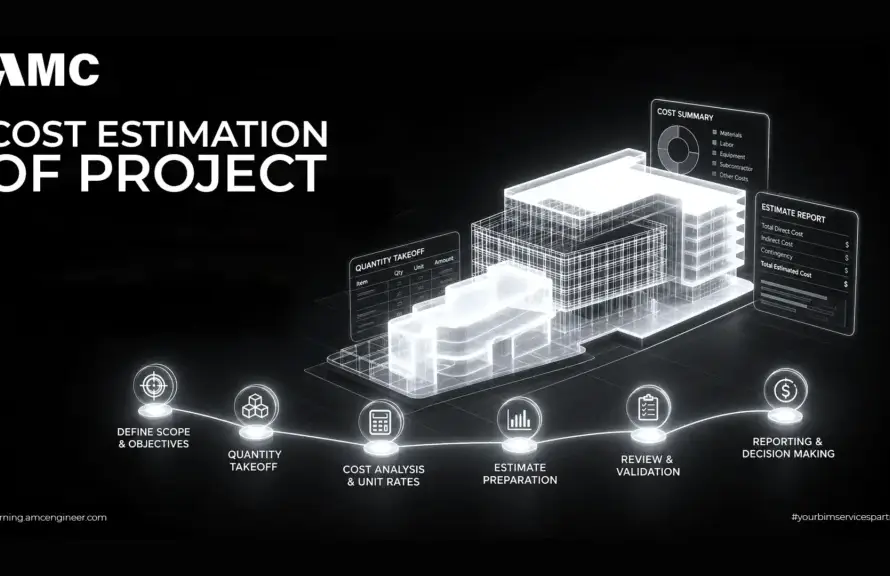
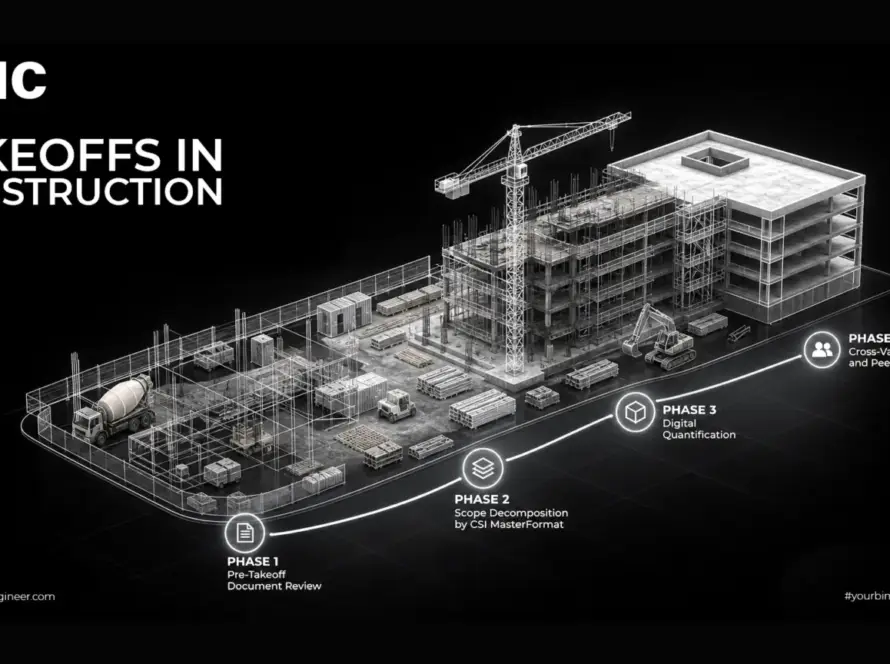
- Measure the quantities. Use BIM quantity takeoff where a model exists; manual takeoff from drawings where it does not. Never mix methods within a single trade package without flagging it.
- Apply waste factors by trade. Rebar 3–5%, concrete 3–5%, blockwork 5%, tiling 8–10%, ductwork 10–12%, cable 10%. Adjust for cut-heavy geometry — a facade with many angles will exceed these.
- Attach the specification. Cross-reference each line to the approved submittal, standard (ASTM, BS EN, DIN, SASO) and approved-vendor list. Lines without a spec reference are guesses.
- Price and source. Obtain current quotes from pre-qualified suppliers with validity dates. Build the results into a reusable cost database — the second project on this database is dramatically faster than the first.
- Review with all stakeholders. Engineer, QS, procurement and site management each check a different failure mode. Skipping the site review is how BOMs end up specifying materials that cannot physically reach the location.
- Baseline and version-control. Freeze Rev A, store it in the CDE, and log every subsequent change with date, reason and originator. This log is what protects you when a variation claim arrives eight months later.
Extracting a Bill of Materials from a BIM Model
A model-driven BOM updates as the design changes. A spreadsheet BOM does not. On fast-tracked GCC programmes where design continues into construction, this difference decides whether your procurement data is current or fiction.
Revit schedules
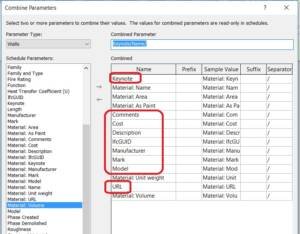
Create a Material Takeoff schedule rather than a component schedule where you need volumes and areas of layered assemblies. Add shared parameters for supplier, lead time and cost code so the schedule exports as a working BOM rather than raw quantities. Group by phase and filter by workset to produce trade sub-BOMs from a single model.
Navisworks Quantification
Useful when you are consolidating models from multiple consultants in different formats. Build a catalogue that mirrors your BOM structure, map model objects to catalogue items, and export to Excel. It handles federated models better than Revit alone.
Autodesk Construction Cloud
Keeps the BOM live against the published model, so a design revision flags affected material lines automatically. This is where BOM management stops being a document and becomes a process.
The accuracy caveat
A model-derived BOM is only as good as the model’s level of development. At LOD 200 you get indicative quantities suitable for budgeting. Procurement-grade accuracy requires LOD 350 or above, with modelled connections, accessories and containment. Ordering from an LOD 200 model is a common and expensive mistake.
Working from an incomplete model or 2D drawings only?
We produce procurement-grade BOMs from Revit models, IFC files or scanned drawings — with model-verified quantities and a manual QC pass on every trade package.
Specification Standards That Govern BOMs in Saudi Arabia and the UAE
This is where generic BOM guidance stops being useful. A material description without a regionally valid standard reference will not clear submittal review, and a BOM full of rejected materials is worthless.
Saudi Arabia
- Saudi Building Code (SBC): the governing framework — SBC 201 general, SBC 301 loads, SBC 304 concrete, SBC 306 steel, SBC 401 electrical, SBC 501 mechanical, SBC 801 fire protection. BOM specification references should cite the relevant SBC part alongside the international standard.
- SASO: Saudi Standards, Metrology and Quality Organization. Many imported construction products require SASO conformity and SABER registration before customs clearance — a compliance step that belongs in your lead-time column, not as an afterthought.
- Mostadam: the national green building rating system. Where a project targets Mostadam certification, the BOM must carry recycled-content, VOC and regional-sourcing data per line.
United Arab Emirates
- Dubai Municipality specifications and the Dubai Building Code: govern material approval within Dubai, with their own approved-product listings.
- UAE Fire and Life Safety Code of Practice: mandates Civil Defence approval for a wide range of products — cladding, insulation, fire-stopping, cables, doors. Every affected BOM line needs its approval reference recorded.
- Estidama Pearl Rating System (Abu Dhabi): imposes material sourcing and content requirements that must be traceable through the BOM.
- Emirates Authority for Standardization (ESMA / MOIAT): conformity marking for regulated products.
Lead Times and Material Pricing in the Gulf Market
Lead time is the field most often left blank and most often responsible for delay. In the GCC it needs to be modelled in three parts, not one.
| Material category | Typical source | Lead-time components |
|---|---|---|
| Ready-mix concrete | Local batching plant | Booking window only — hours to days |
| Reinforcing steel | Regional mills (KSA/UAE) | Mill schedule + cut & bend + delivery |
| Blockwork, cement, aggregate | Local | Order to site, typically days |
| Structural steel | Regional fabricator or imported | Shop drawings + approval + fabrication + transport |
| MEP equipment (chillers, AHUs, switchgear) | Predominantly imported | Submittal approval + manufacture + shipping + port clearance + SASO/ESMA conformity |
| Facade systems | Regional fabrication, imported components | Design + mock-up + approval + fabrication + delivery |
| Specialist finishes | Imported | Sample approval + manufacture + shipping + clearance |
Port and clearance realities. Material entering Saudi Arabia through Jeddah Islamic Port or King Abdulaziz Port in Dammam, or the UAE through Jebel Ali, needs a clearance allowance in the BOM — and for regulated goods, prior SABER or ESMA registration. Teams that model “order to port” instead of “order to site” routinely lose two to four weeks per import package.
Price volatility. Steel, cement, copper and aluminium prices move enough within a project cycle to break a fixed budget. Two mitigations belong in the BOM itself: date-stamp every unit cost with its quotation validity, and flag volatile lines for quarterly re-pricing. On longer programmes, contractual escalation clauses should reference the same line-item structure so claims can be evidenced directly from the BOM.
Local Content: How IKTVA and ICV Reshape Your BOM
This is the requirement most international BOM guidance ignores entirely, and it directly constrains supplier selection on major Gulf projects.
Saudi Arabia — IKTVA and the Local Content and Government Procurement Authority (LCGPA). Aramco’s IKTVA programme and the broader national local-content framework score suppliers on domestically sourced value. On projects where local-content thresholds apply, your BOM cannot simply list the cheapest compliant supplier — it must record the local-content classification of each source and roll that up to a project-level percentage.
UAE — In-Country Value (ICV) programme. ADNOC-originated and now widely applied across federal and Abu Dhabi entities, ICV certification affects tender scoring. Suppliers hold ICV certificates with percentage scores; procurement decisions weight them alongside price.
What this means practically: add a local content classification column to the BOM at the pre-qualification stage, not at the award stage. Retro-fitting local-content data onto an awarded BOM is close to impossible, and discovering a shortfall at tender evaluation has cost contractors work they had otherwise won on price and programme.
Six BOM Failures That Cost Gulf Projects Money
| Failure | Impact on site | Fix |
|---|---|---|
| Missing accessories and consumables | Trade gangs idle waiting for ties, fixings, sealant | Build assembly-level BOM templates per trade; audit against a standard accessory checklist |
| BOM not updated after design change | Wrong material delivered, restocking cost, programme slip | Live BIM–BOM link in the CDE; mandatory change log with impact flag |
| Stale pricing | Budget overrun discovered at commitment, not at planning | Date-stamp all rates; quarterly re-pricing of volatile lines; escalation clauses |
| Uncontrolled versions | Site, procurement and QS working from three different BOMs | Single CDE (Autodesk ACC, Procore); named revisions; no local copies |
| Manual re-keying between systems | Transcription errors reach purchase orders | Direct export to ERP; barcode or QR receipt at the gate |
| Lead times ignored or under-modelled | Critical-path items ordered too late | Model order-to-site including approvals and clearance; link BOM dates to the CPM schedule |
Connecting the BOM to ERP, Procurement and the Programme
A BOM that lives only in a spreadsheet is a snapshot. A BOM connected to your systems is a control tool. Three integrations matter most:
- BOM → ERP. Exporting BOM lines into SAP, Oracle or a mid-market system such as Odoo turns material lines into purchase requisitions with approval workflow and commitment tracking against budget.
- BOM → construction platform. Procore, Autodesk Construction Cloud or Kreo link material lines to submittals, deliveries and site records, so material status is visible next to progress.
- BOM → programme. Mapping each BOM line’s required-on-site date to the CPM schedule in Primavera P6 or MS Project converts lead time from a static number into a live procurement deadline. This is the integration with the highest return and the one most often skipped.
Related reading: BIM clash detection resolves the coordination conflicts that otherwise force BOM revisions mid-procurement, and digital twin technology extends the same material data into operations and maintenance.
Ready to bring procurement accuracy to your next KSA or UAE project?
Sit down with our engineering and cost team to plan your quantity takeoff, Bill of Materials and procurement workflow end to end — from model to purchase order.
Request a Strategic Meeting View Engineering Calculation Services
Frequently Asked Questions About Bills of Materials
What is a Bill of Materials in construction?
A construction Bill of Materials is a structured list of every material, component and fixture required to build a project, with quantities, specifications, unit costs, suppliers and lead times. It is used for procurement, delivery scheduling and material cost control — distinct from a Bill of Quantities, which prices work items for tendering.
What is the difference between a BOM and a BOQ?
A BOQ measures work items including labour and plant, and is used for tendering and interim valuation. A BOM lists physical materials only, and is used to raise purchase orders. One BOQ line such as “supply and fix 200mm blockwork” typically expands into several BOM lines covering blocks, mortar, ties and lintels.
Who prepares the Bill of Materials on a construction project?
Usually the contractor’s procurement or engineering team, working from quantity takeoffs produced by estimators or BIM coordinators. On design-and-build contracts the design consultant may issue an engineering BOM that the contractor develops into a construction BOM.
How accurate should a construction BOM be?
Around ±5–10% during pre-construction, tightening to roughly ±3% for the final procurement BOM after design freeze. Accuracy depends on the level of development of the source model or drawings — procurement-grade output generally requires LOD 350 or better.
How often should a BOM be updated?
Weekly during pre-construction, and after every design revision that affects quantities. During execution, a bi-weekly reconciliation against actual consumption catches drift before it becomes a budget problem.
Can BIM software generate a BOM automatically?
Yes. Revit material takeoff schedules, Navisworks Quantification and Autodesk Construction Cloud extract quantities directly from the model. Automatic generation still requires manual QC — the model determines what is counted, and anything unmodelled will not appear.
What waste factor should be applied in a construction BOM?
Trade-dependent: roughly 3–5% for rebar and concrete, 5% for blockwork, 8–10% for tiling, 10–12% for ductwork, 10% for cable. Complex geometry with heavy cutting requires higher allowances, and these should be set project by project rather than applied as a blanket figure.
Does a BOM need to comply with the Saudi Building Code?
Material specifications referenced in the BOM must comply with the applicable SBC parts, and many imported products also require SASO conformity and SABER registration before customs clearance. Recording the standard reference and approval status against each line avoids submittal rejections later.
What approvals affect BOM items on UAE projects?
Depending on the emirate and material type: Dubai Municipality product approval, Civil Defence approval under the UAE Fire and Life Safety Code for fire-related products, ESMA or MOIAT conformity marking, and Estidama material requirements on Abu Dhabi projects targeting a Pearl rating.
How do local-content requirements affect the BOM?
On projects subject to IKTVA in Saudi Arabia or the ICV programme in the UAE, supplier selection is scored on domestically sourced value. The BOM should carry a local-content classification per line from the pre-qualification stage so the project-level percentage can be tracked and evidenced.
What software is used to manage construction BOMs?
Options range from structured Excel with version control, through construction platforms such as Procore, Autodesk Construction Cloud and Kreo, to full ERP systems including SAP, Oracle and Odoo on enterprise programmes. The right choice depends less on the tool and more on whether the BOM is connected to the schedule and the purchase-order workflow.
Can a BOM be used for building permit submissions?
In some jurisdictions material schedules derived from the BOM support permit and approval submissions, particularly where authorities require evidence of approved products. Formatting requirements vary by authority, so confirm the specific submission format with the relevant municipality before preparing the documentation.
Conclusion
A well-built construction Bill of Materials does three things a spreadsheet of quantities cannot: it ties every material to an approved specification, it ties every specification to a real supplier and lead time, and it ties every lead time to a date on the programme. On the compressed schedules and demanding approval regimes of Saudi and UAE projects, that chain is the difference between a job that runs and one that waits.
Build it from the model, keep it versioned, connect it to the schedule, and treat local-content and authority approvals as BOM data rather than paperwork handled elsewhere.
Let’s build your project’s BOM properly.
AMC Engineering delivers BIM-driven quantity takeoff and procurement-ready Bills of Materials for contractors, consultants and developers across Saudi Arabia and the UAE.
Talk to Our Engineering Team Engineering Calculation Services